
Healthy Dinner : 500+ Recipes
kiran chavanFood & Drink
4.726.00 Reviews
- Version
- 6.6
- Installs
- 10.00K
- Age Rating
- Everyone
Screenshots
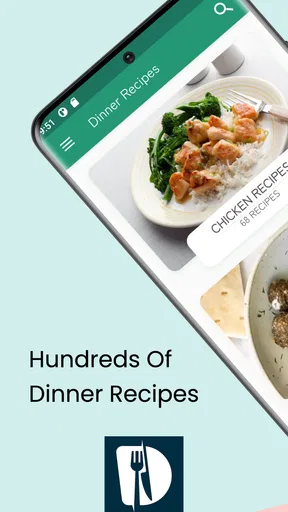

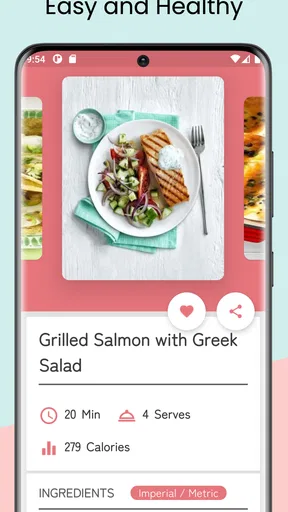
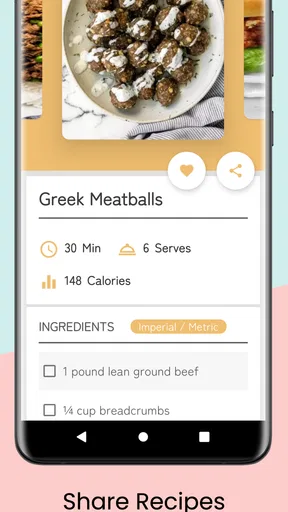
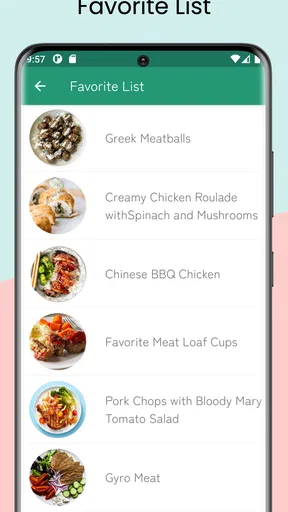
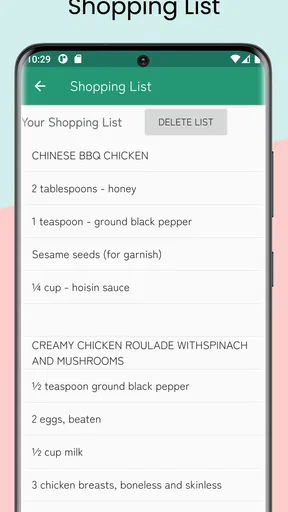
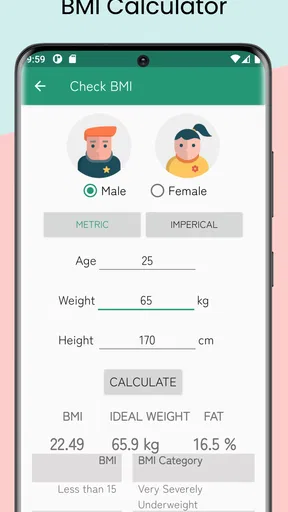
Our Review of Healthy Dinner : 500+ Recipes
 Analysis by Appyee
I tried Healthy Dinner: 500+ Recipes as the sort of app you open when everyone at home is hungry but nobody has decided what to cook. It is a free Food & Drink app from kiran chavan, built around a large collection of dinner ideas rather than shopping, delivery, or meal-kit ordering. That focus makes it easy to understand: open it, browse for something appealing, and use the recipe as a starting point for the evening meal.
My first impression was that it works best as a shared kitchen reference. One person can browse while another checks the cupboards, or a parent can hand the phone to an older child who wants to choose dinner. It is not trying to replace a full household planner. Instead, it helps solve the smaller but very common problem of turning “What should we eat?” into a practical choice.
How it fits into a shared household routine
When I use a recipe app with other people, I find it helps to agree on one small job for each person: one browses, another checks what ingredients are already at home, and the cook makes the final call. That keeps dinner planning collaborative without turning a shared screen into a debate. It also gives the next step a practical purpose: deciding how to make a chosen recipe fit the household’s time and supplies.
A useful second screen when dinner decisions stall
The app’s biggest household strength is its low barrier to entry. You do not need to begin with a strict weekly plan or a carefully organized pantry. When I imagined using it on a busy evening, the natural workflow was to browse a few dinner ideas, find one that matched the time available, and then adjust the choice around ingredients already in the kitchen.
That makes it more useful than a random web search in one particular situation: when several people are standing around waiting for a decision. Search engines often return a mixture of advertisements, long personal stories, and recipes that require ingredients you do not have. A focused recipe app keeps the decision closer to the meal itself.
It also suits households where tastes differ. One person might look for something lighter, while another wants a more filling plate. Rather than arguing over a single fixed meal plan, each person can suggest an option from the collection. The app becomes a conversation starter, not an authority that decides what the whole family must eat.
What I would do before opening it at mealtime
I would not wait until everyone is already hungry to explore every possibility. A better routine is to browse briefly earlier in the day, save the most realistic idea mentally, and then check whether the ingredients and cooking time fit the evening. Even without treating the app as a formal planner, this small habit reduces the chance of choosing an attractive recipe that becomes inconvenient at the last minute.
A practical trick is to judge recipes in two passes. First, choose by appetite and dietary preference. Second, reject anything that depends on a missing staple, unfamiliar technique, or more preparation than the household can manage. This prevents the common mistake of selecting dinner because the picture looks good while ignoring the work involved.
For a shared device, I would also keep the phone in a neutral place in the kitchen rather than passing it from person to person. That makes it easier for someone to read while another person cooks. The app’s value here is not just the number of recipes; it is the way a central screen can keep a small household decision moving.
Where the app stops short of being a household organizer
This is still a recipe collection, not a complete coordination system. I would not choose it expecting a family calendar, assigned cooking duties, pantry tracking, or a shared grocery workflow. Those jobs need separate tools or a simple note on the refrigerator. The app can inspire the meal, but the household still has to agree on who cooks, what needs buying, and when dinner will actually happen.
That limitation is important because the store positioning can make a large collection sound like a complete solution. In practice, the collection helps with ideas. It does not remove the ordinary coordination work that follows a decision. For many users that is perfectly acceptable, but people who want a fully managed weekly routine will probably prefer a dedicated meal-planning service.
Setup, device access, and personal boundaries
Getting started is straightforward because the app is free to download and aimed at Everyone. It runs on Android devices using version 9 or later, so the main setup question is whether the phone or tablet in the kitchen meets that requirement. The current version is 6.6, which gives the app a reasonably clear place in a modern Android setup.
Because this is the kind of app that may be used by several people, I would think about device boundaries before making it a shared reference. A family tablet in the kitchen is different from a personal phone. On a personal device, each user should avoid changing anything that belongs to someone else, especially if the device is also used for work, school, or private communication.
I also prefer a simple rule for shared use: browsing is open, but installing anything, buying anything, or changing account settings belongs to the device owner. The app includes in-app purchases priced from $1.99 to $11.99 per item, so that distinction matters in a household. A child or guest can look for dinner ideas without being treated as someone who should make purchase decisions.
This is not a criticism of the recipe content itself. It is just sensible shared-device practice. Free access makes spontaneous use easy, while optional purchases mean the owner should remain aware of what can happen on the device. If the app is installed on a family tablet, I would keep purchase approval with the adult who manages that tablet and explain the rule clearly to younger users.
Keeping the kitchen workflow simple
Recipe apps can become awkward when the phone is constantly handled with wet or messy hands. My preferred approach would be to read through the chosen recipe before starting, identify the ingredients, and place the device where it can be viewed without touching it every few seconds. This is a small workflow change, but it makes a big difference when cooking with another person.
For shared cooking, one person should take responsibility for navigating while the other prepares ingredients. Otherwise, two people may both be trying to control the same screen, which turns a helpful app into a source of friction. The person holding the device can also repeat the next step aloud, making the app useful to someone who is not standing directly in front of it.
Another useful habit is to treat the recipe as a guide rather than an unquestionable command. Check the ingredients before beginning, especially if a family member has allergies or follows a specific diet. A recipe app can suggest a meal, but it cannot replace the cook’s responsibility to verify every ingredient and avoid cross-contact in the kitchen.
Coordination between adults and children
The Everyone age rating makes the app approachable for a broad household audience, and the dinner theme naturally creates opportunities for children to take part. I can see an older child choosing between two meals, reading ingredient names, or helping make a shopping list. That gives the app a practical role in teaching planning without turning dinner into a formal lesson.
Still, an age rating should not be confused with supervision guidance for cooking. The app may be suitable to browse, but heat, knives, hot oil, and food safety remain adult responsibilities according to the child’s ability and the household’s rules. A child can select a recipe while an adult decides which preparation steps are safe to share.
A good family workflow would be to offer limited choices rather than asking a child to search through the entire collection. For example, an adult can browse first and present two realistic options. The child gets a meaningful decision, while the adult keeps control over ingredients, equipment, and timing. This is more successful than handing over the phone and expecting a young user to judge an entire recipe independently.
For teenagers and confident home cooks, the balance changes. They may use the app more independently, compare ideas, and adapt a dish to what is available. Even then, I would encourage them to check serving needs, cooking time, and substitutions before promising the meal to everyone else. The app supports the choice, but coordination still depends on communication.
Trust, privacy, and the right person to manage purchases
In a household, trust is not only about whether the recipes are useful. It is also about who controls the device and who can make decisions connected to it. Since the app is free but offers paid items, the adult who owns the phone or tablet should be the person who handles any purchase-related action. That keeps a casual browsing session separate from spending.
I would also avoid assuming that every family member wants the same level of access to the device. A shared tablet can be convenient in the kitchen, but a personal phone should remain personal unless the owner chooses otherwise. The app does not need to become a reason for people to exchange passwords or share accounts. A household can share dinner ideas without sharing every digital boundary.
This matters particularly when children use a parent’s phone. The safest arrangement is simple: the child can point to a recipe, while the parent opens, checks, and approves anything that could lead to a purchase or another change. That approach preserves the friendly, collaborative side of cooking while keeping responsibility with the device owner.
How the collection compares with familiar alternatives
Compared with searching the open web, the app feels more focused. A web search is better when you need a very specific answer, such as a substitution for one ingredient, a detailed explanation of a cooking technique, or a recipe from a particular publication. The app is better when you want to browse dinner possibilities without constructing a perfect search phrase first.
Compared with a video platform, it is likely to suit cooks who want to scan and act rather than watch a full demonstration. Video is valuable when a technique is unfamiliar, especially for dough, knife work, or timing-sensitive steps. A recipe collection is quicker for deciding what to make, but it may not provide the visual reassurance a beginner needs.
Compared with a dedicated meal planner, the app is lighter and less demanding. That is a strength for someone who cooks spontaneously, but a weakness for a household that wants automatic grocery lists, nutritional targets, recurring schedules, or coordinated responsibilities. I would use it alongside a notes app for weekly planning rather than expect it to manage the whole process.
The collection size also changes how I would browse. With more than five hundred recipes represented in the app’s name, opening it without a decision can create choice overload. My advice is to begin with a constraint: available protein, vegetarian dinner, short preparation, or ingredients that need using soon. A narrow question makes a large collection useful; an entirely open search can make it feel less efficient.
Who will enjoy it, and who should skip it
I think this app is a good fit for people who regularly run out of dinner ideas, households that like choosing meals together, and newer cooks who want a ready source of inspiration. It is especially handy for the person who does not need a sophisticated food system but wants more direction than an empty refrigerator and a search box provide.
It may also work well for a shared family tablet because the subject is immediately understandable and the Everyone rating keeps the audience broad. A parent can browse with a child, roommates can vote on dinner, and a solo cook can use it as a quick evening prompt. The free entry point makes trying it low-risk, although optional paid items should remain under the owner’s control.
I would skip it if your main goal is precise nutrition management, medical dietary planning, or a fully automated grocery routine. I would also look elsewhere if you depend on detailed instructional video, advanced filtering, or a strong system for assigning meals among several people. In those cases, a specialized alternative is more appropriate than stretching a recipe collection beyond its purpose.
What the ratings suggest about its appeal
The app holds a 4.7 average from over two hundred ratings, with more than twenty written reviews. I would read that as a reassuring sign that the basic idea is connecting with users, while still remembering that a rating cannot tell me whether the recipe style matches my household’s tastes or cooking habits.
Its reach is also meaningful: it has passed ten thousand installs. That places it beyond a purely personal experiment and suggests that the simple dinner-browsing concept has found a real audience. Even so, popularity should not replace a quick check of your own needs, especially if you require specialized dietary information or structured planning.
My household verdict
After considering how I would use it at home, I see Healthy Dinner: 500+ Recipes as a practical idea generator with a clear role. It helps a household move from indecision to a possible meal, and it is approachable enough for adults and children to browse together. The best experience comes when one person guides the search, another checks what is available, and everyone understands that the app suggests rather than manages the evening.
The developer, kiran chavan, has kept the concept easy to grasp: a free dinner-focused app that puts many options within reach. Its age rating makes shared browsing comfortable, while the optional purchases mean the device owner should keep control of spending. Those two details are easy to handle if the household sets expectations before sharing the screen.
My honest recommendation is to try it if your recurring problem is inspiration. Open it with a real constraint, compare the recipe against your ingredients and time, and use the result as the starting point for a conversation. If your problem is shopping automation, medical nutrition, or detailed cooking instruction, choose a more specialized tool instead.
For a family, couple, or group of roommates, the app earns its place when it makes dinner decisions less tiring without pretending to solve every part of meal planning. Its strongest feature is the simple shared moment it creates around choosing what to cook; its main weakness is that the practical work after that choice still belongs to the household.
Verdict
Strengths of Healthy Dinner : 500+ Recipes
- Over 500 dinner ideas make it easy to vary your weekly meal plan.
- Recipes are suitable for users seeking lighter, more balanced meals.
- Ingredient lists help simplify grocery shopping and meal preparation.
- Useful for discovering dishes beyond familiar everyday recipes.
- Works well as a quick source of inspiration when planning dinner.
Limitations of Healthy Dinner : 500+ Recipes
- Some recipes may require ingredients that are difficult to find locally.
- Nutritional details may not be provided for every recipe.
- Portion sizes may need adjustment for families or specific diets.
- The large recipe collection can make choosing a dish feel overwhelming.
- Users with allergies should carefully verify every ingredient before cooking.
Other Releases by kiran chavan
View All
Keto Diet: Low Carb Recipes
Food & Drink4.5
Similar Picks in This Category
View All
Rappi: Food Delivery, Grocery
Rappi, Inc - Delivery3.5

McDonald’s: Cupons e Delivery
Arcos Dorados4.3

Swiggy: Food Instamart Dineout
Swiggy4.7

Blinkit: Groceries & more
Blinkit4.8

foodpanda: food & groceries
Foodpanda GmbH a subsidiary of Delivery Hero SE4.0

Zomato: Food Delivery & Dining
Zomato4.7
Frequently Asked Questions
What is Healthy Dinner: 500+ Recipes, and what can I find in the app?
Healthy Dinner: 500+ Recipes is a recipe app focused on simple, nutritious evening meals. After exploring its collection, users can browse a wide range of dinner ideas, including vegetable-based dishes, lean-protein meals, salads, soups, rice and pasta recipes, and lighter alternatives to traditional comfort food. Each recipe generally provides ingredients and preparation instructions, making the app useful for planning weekday meals or discovering new healthy dishes.
Is Healthy Dinner: 500+ Recipes suitable for beginners?
Yes, the app is generally suitable for beginners because the recipes are presented as practical, home-cooking ideas rather than advanced restaurant-style preparations. The instructions are designed to help users follow the cooking process step by step, while the ingredient lists make it easier to prepare before starting. However, cooking times, equipment requirements, and difficulty can vary, so beginners should read the complete recipe before purchasing ingredients.
Does the app include recipes for specific diets or dietary restrictions?
The collection offers a variety of healthy meal ideas, and users may find recipes that fit preferences such as vegetarian, low-calorie, high-protein, or lighter eating. Nevertheless, not every recipe is automatically suitable for vegan, gluten-free, keto, diabetic, or allergy-specific diets. Ingredients should always be checked carefully, including sauces, seasonings, and possible substitutions. People with serious allergies or medical dietary requirements should verify recipes with a qualified professional.
Can I use the recipes without an internet connection?
Offline availability may depend on how the app stores recipe content and on the version installed on your Android or iOS device. Some recipe apps allow previously opened or saved recipes to remain accessible without an internet connection, while others require connectivity to load images or full instructions. It is best to open the recipes you plan to cook in advance and confirm that their ingredients and directions remain available offline.
Is Healthy Dinner: 500+ Recipes free to download and use?
The application may be available as a free download, but the exact experience can depend on the current store version, advertising model, and any optional in-app purchases. Some features or recipe collections could be limited, supported by advertisements, or offered through a premium upgrade. Before downloading, users should review the Google Play Store or Apple App Store listing for the latest information about pricing, subscriptions, permissions, and supported devices.
